Smart Floor/Tile Calculator & Quotation Guide
🔥 Core Tech: More than a calculator. Import data from measure tools, generate smart tiling layouts, and produce professional quotations with cost analysis instantly!
🎬 Video Tutorials (Real Screen Recording)
🎬 Tile Calc Workflow
From measure import, layout generation, to quotation and analysis
▶ Video coming soon (YouTube link placeholder)🛠️ Core Features & Detailed Steps
Feature 1: Seamless Import & Auto-Quantities
No manual measurement needed. Draw the floor plan in Measure Master, and click 'Import from Measure' in the workspace to get exact areas.
- Click '+ New Quote' in the Workspace.
- Click 'Import from Measure' and select the project.
- The system auto-fills net areas for all rooms and deducts door/window areas.
Feature 2: Smart Tiling & Layout (Core Feature)
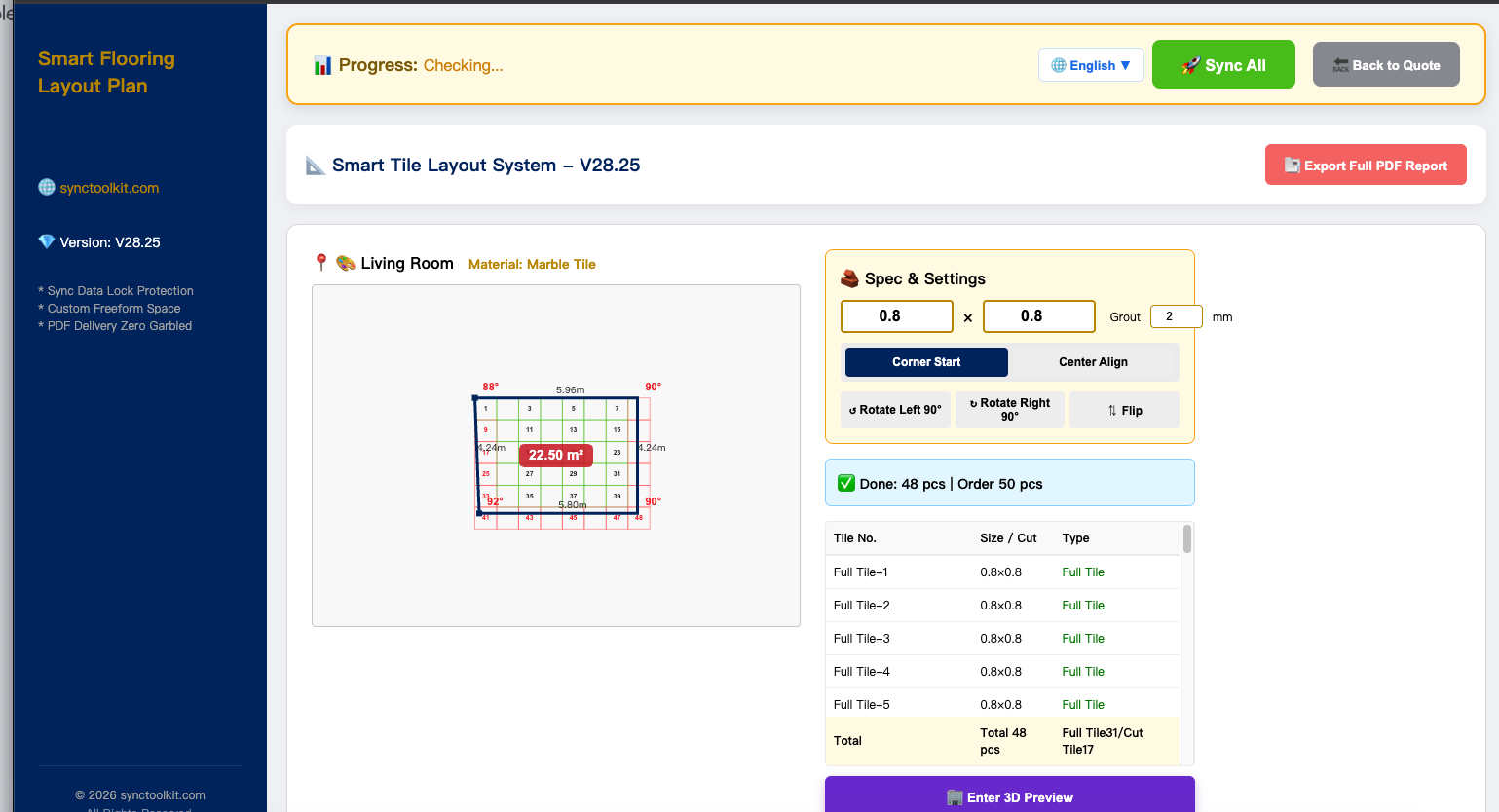
Based on tile size (e.g., 0.8x0.8m) and layout, the system generates a visual tiling diagram and calculates exact quantities of full tiles and cut tiles.
- Click 'Tiling Plan' in the main table.
- Enter tile size (e.g., 0.8 x 0.8) and gap (e.g., 2mm).
- Select start point, real-time display of cutting status.
- Auto-calculate waste rate and recommend purchase quantity to avoid waste and ensure enough.
Feature 3: My Custom Material Library (Multi-scenario supported)
Every company has different prices. System allows full customization and supports switching between 'Floor' and 'Door/Window'.
- Click '⚙️ My Material Library'.
- Modify custom prices for main/aux materials and labor.
- Supports 20 global currencies.
- Modified prices instantly sync to all quotes.
Feature 4: One-Click Quotation & Cost Proportion Analysis
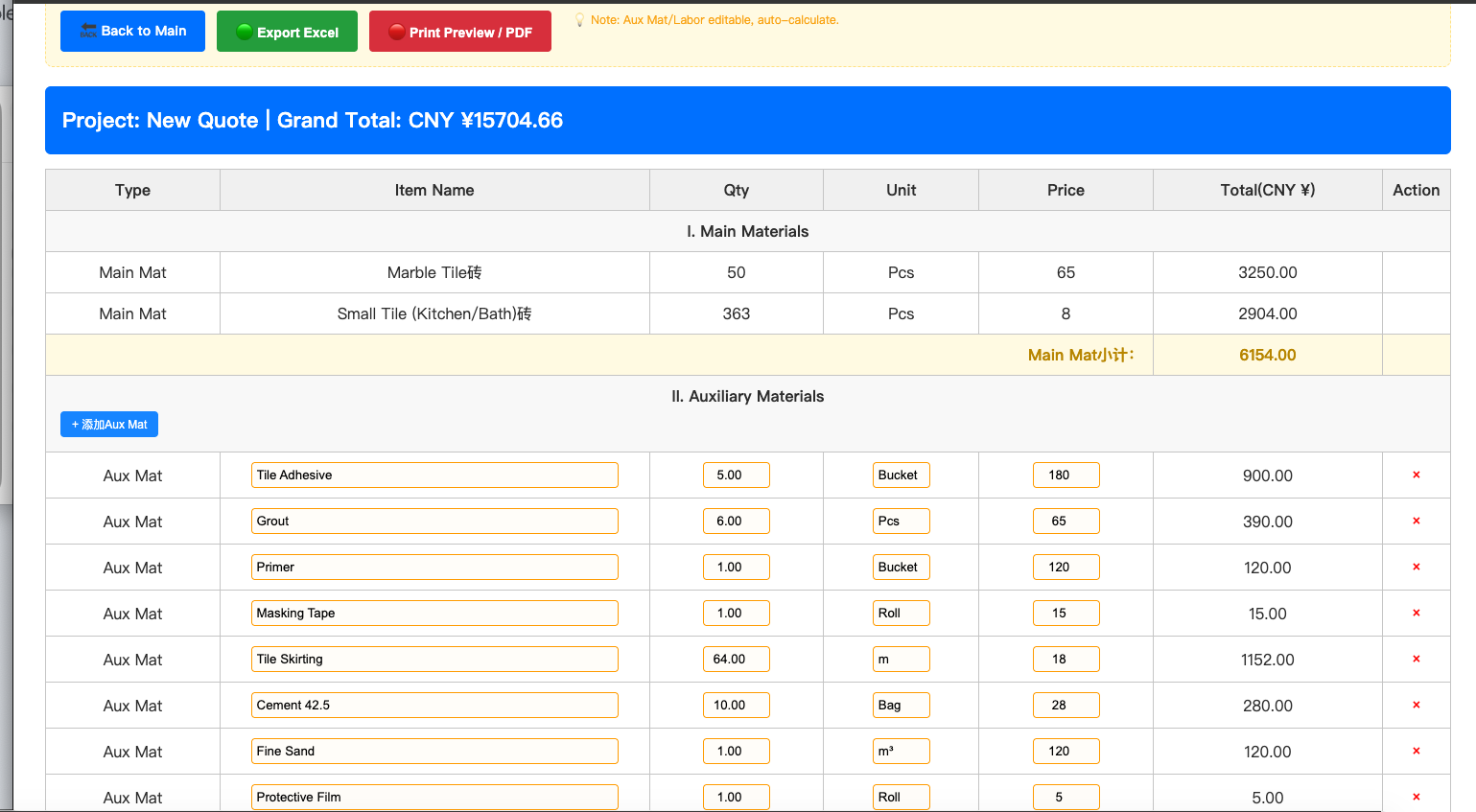
Get billing done immediately! Generate client quotes and profit margins.
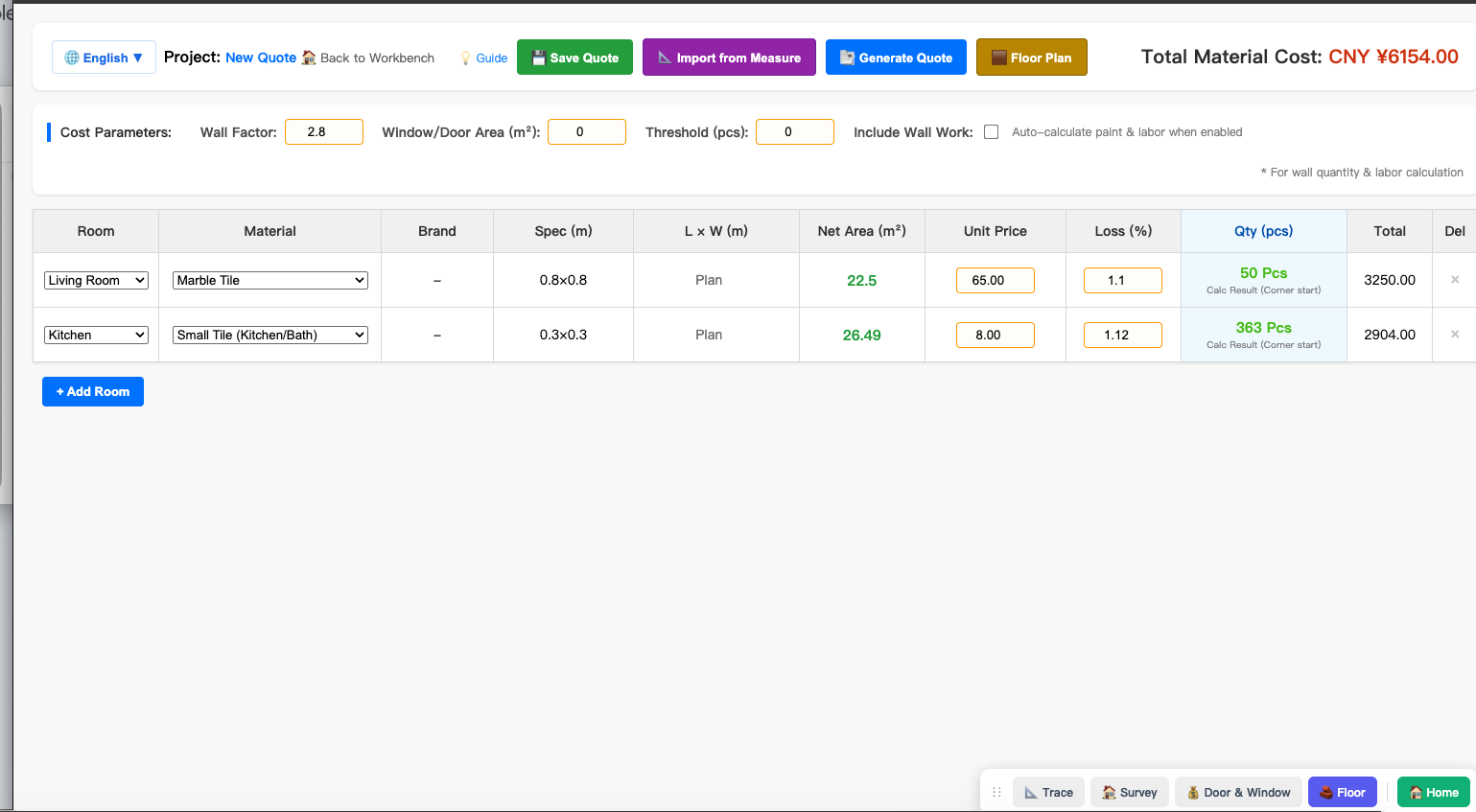
- Enter unit price and waste rate in main table.
- Click 'Generate Quote'.
- Click stats chart in 'Workspace' to view cost proportions (e.g., 37% / 23% / 39%) and calculate margins.
Feature 5: One-Click Export of Construction-Grade PDF
Click 'Export Full HD PDF' to generate PDFs with project name, tiling diagram, and detailed list.